The Brief
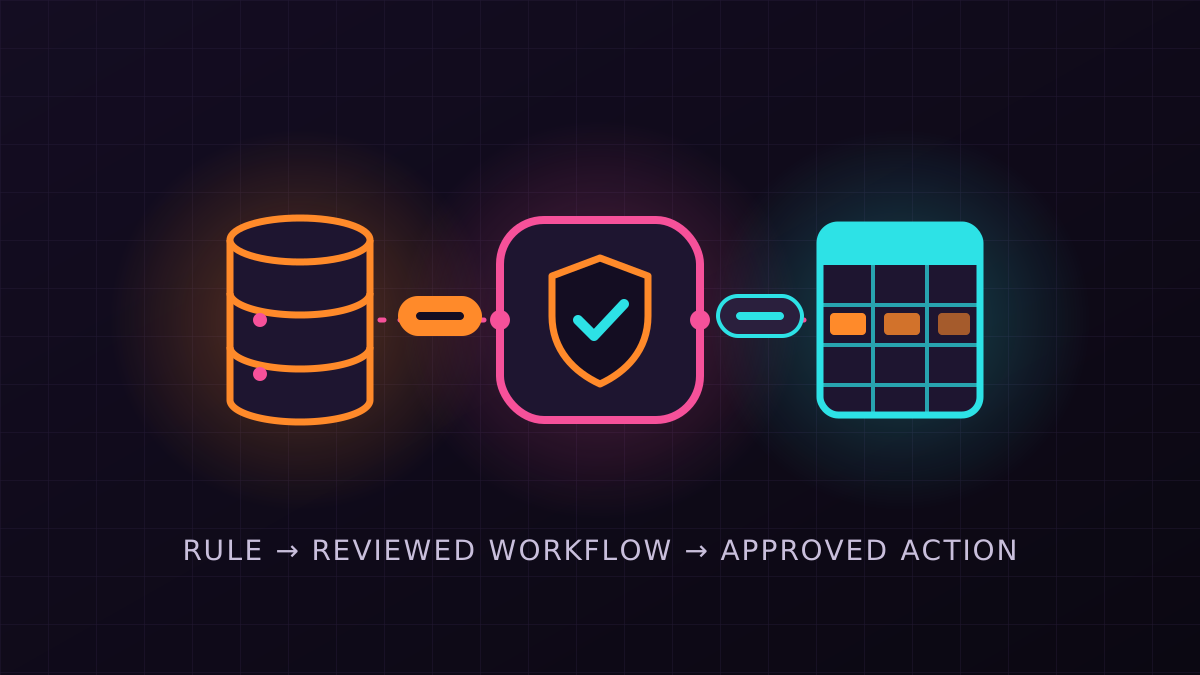
Small teams often run on systems that do not talk to each other: an order table in MySQL, a sales sheet in Google Sheets, a notification endpoint somewhere else. Connecting them usually means writing and maintaining integration code. The goal here was a middleware where the integration is described in one sentence, checked by a person, and then runs on its own. The result is published under the MIT licence.
How It Works
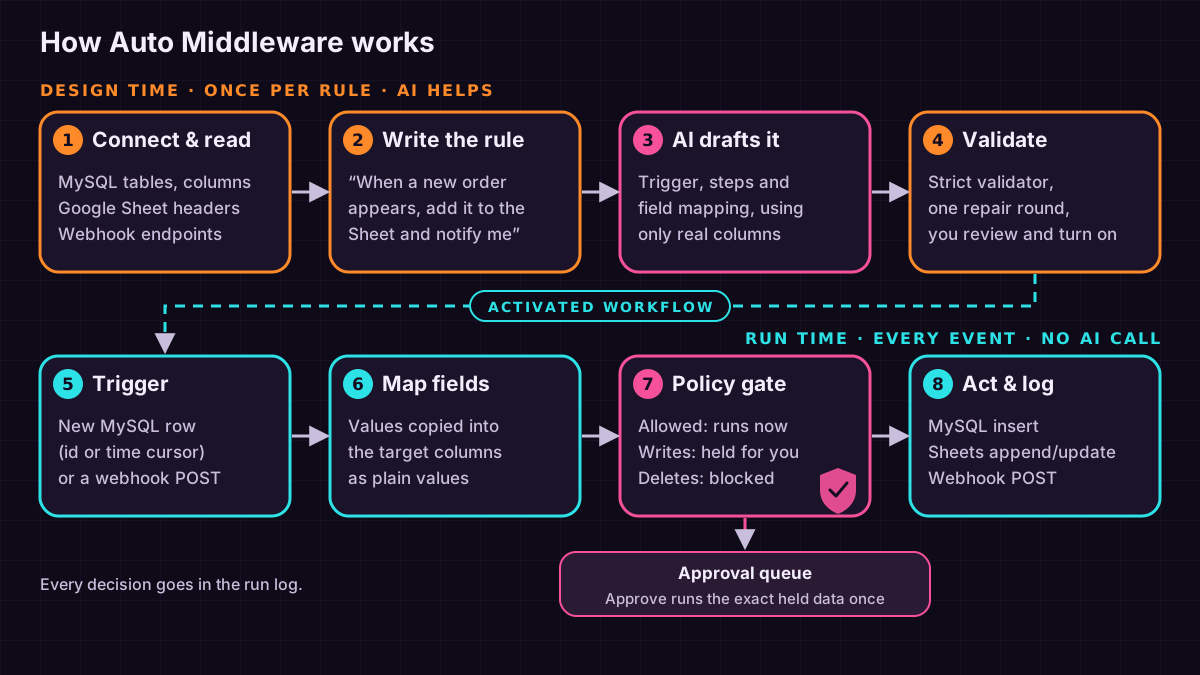
Connected systems are read first: MySQL tables and columns come from information_schema, so the model only ever sees real tables and columns. A rule such as “when a new order appears, add the order id, customer and total to the Orders tab and notify our webhook” is sent with those schemas to any OpenAI-compatible model (DeepSeek by default), which proposes the workflow as JSON. A strict validator rejects invented tables, columns, connectors, actions and unknown keys, and gives the model one chance to repair its answer. The person reviews the trigger, every mapped field and each step's policy, then activates it. From that point the workflow is plain data — trigger, field mapping, actions — and no model is called at run time, so runs are predictable and inexpensive.
Connectors
MySQL and MariaDB can trigger a workflow when a new row appears, polled by an id or timestamp cursor, and can receive inserted rows. Google Sheets uses a service account to append or update rows aligned to the sheet's header row; values are written as plain values, so text from the data is never run as a formula. Webhooks work in both directions: an outbound JSON post, and an inbound trigger at its own path, protected by a per-workflow secret and de-duplicated by event id. A website connector slot is reserved for a later version.
Approval Before Action
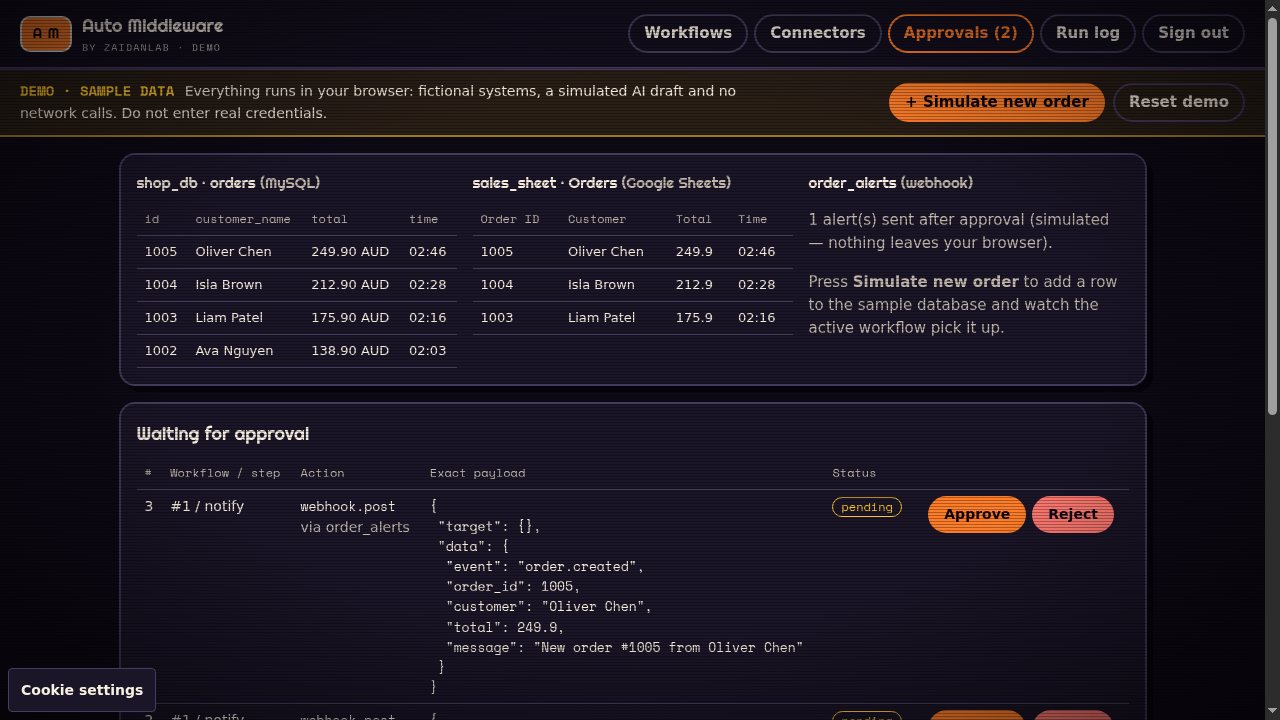
Every step passes a policy gate with three outcomes: run automatically, hold for approval, or block. Writes are held by default and deletes are blocked. A held action shows the exact payload; approving executes that payload once, and changing the step's action, connector or target cancels its pending approvals. Polling keeps a cursor and an event ledger so an event is not processed twice, and every decision and result is recorded in a run log. The admin interface is a single page protected by an admin token. You can try that same dashboard in the interactive demo: it runs in your browser against fictional MySQL, Google Sheets and webhook connectors, with a simulated AI draft and no network calls.
Built From Scratch, With Credit
The service is one Node.js 22 process written in TypeScript, with SQLite for state and a single runtime dependency (mysql2); there is no build step, and it also runs with Docker Compose. No code was copied from other projects, but the design borrows ideas credited in the repository's NOTICE file: schema-first tool design from toolsmelt, the planned website adapter's approach from Pomerado, plain-language-to-workflow review from LoomFlow, the allow/escalate/block gate from agent-safe-pipeline, and sheet sync bookkeeping from google-docs-markdown-sync. The full source is on GitHub.
Current Scope
This is an early version focused on the core loop. Polling triggers pick up new rows (not updates or deletes), steps run independently with failures listed in the run log rather than retried automatically, mapping is direct field substitution, and access is through one admin token rather than user accounts. The engine is covered by unit and end-to-end tests, including a run against a real MySQL 8 database and a real model planning call; the Google Sheets connector is tested against a mocked API and is ready for a first run with a live service account.
 Chat via WhatsApp