The Workflow
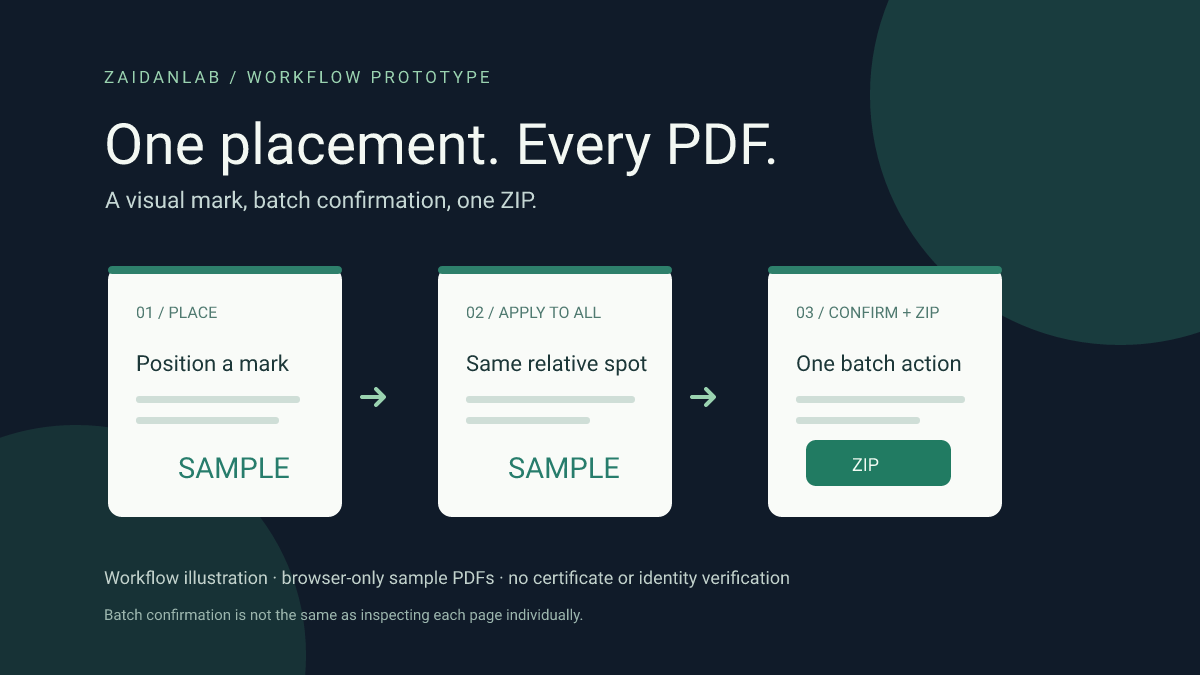
Repeating the same visual placement across a group of PDFs can be tedious. Bulk Sign is an independently built portfolio prototype of that interaction, not a commissioned project, customer result or legal signing platform. The cover is a workflow illustration, not an app screenshot.
Try It With Fictional PDFs
Launch Bulk Sign demo →
Load the three fictional sample PDFs, use the labeled SAMPLE mark, position it on a last-page preview and choose Apply position to all. Select Confirm all documents & placement, acknowledge authorization and download the ZIP. You do not need to open each PDF to confirm the batch. Uploaded PDFs and drawn or uploaded PNG marks can also be tried locally; avoid sensitive documents in a prototype.
One Position, With Honest Confirmation
A mark is placed on the last page only, in the same relative position on each document. Individual positioning and per-file confirmation are also available. The batch button marks the group as confirmed, not individually inspected; the file list distinguishes B for batch confirmation from a checkmark for individually checked PDFs. A changed mark or adjusted placement invalidates the relevant confirmations. Different page sizes and content can still put the mark over the wrong text, so inspect those documents when placement matters.
Actual PDF Output, Not a Static Mockup
The browser generates sample PDFs, renders the selected last page, embeds a PNG mark into each output PDF and downloads one ZIP. The demo handles up to 12 PDFs of 10 MB each. It rejects malformed or encrypted files, rotated or cropped last pages and unsupported sizes rather than silently producing a misleading preview. Six automated tests cover sample PDFs, proportional positioning, batch confirmation and actual stamped PDF/ZIP generation. These tests do not establish visual compatibility on every phone or with every PDF.
No Server-Side Document Upload
The processing happens in browser memory; there is no application backend, login, persistence, email, AI model or third-party signing API. The SAMPLE mark and included documents are fictional. The app does not send documents to a server, and refreshing the tab clears the working batch. The site hosting still serves static assets; avoid uploading confidential documents to an unreviewed prototype.
Not a Digital or Legal E-Signature
Applying a drawn or uploaded image is a visual overlay, not a cryptographic signature. There is no certificate, identity verification, consent trail, tamper-evident signing history or guarantee of legal validity. Users must confirm they are authorized to use the mark and the documents. Production use would require security review, accessibility and browser compatibility testing, retention and audit policies, applicable legal checks and a genuine signing provider where required.
 Chat via WhatsApp