The Business Workflow
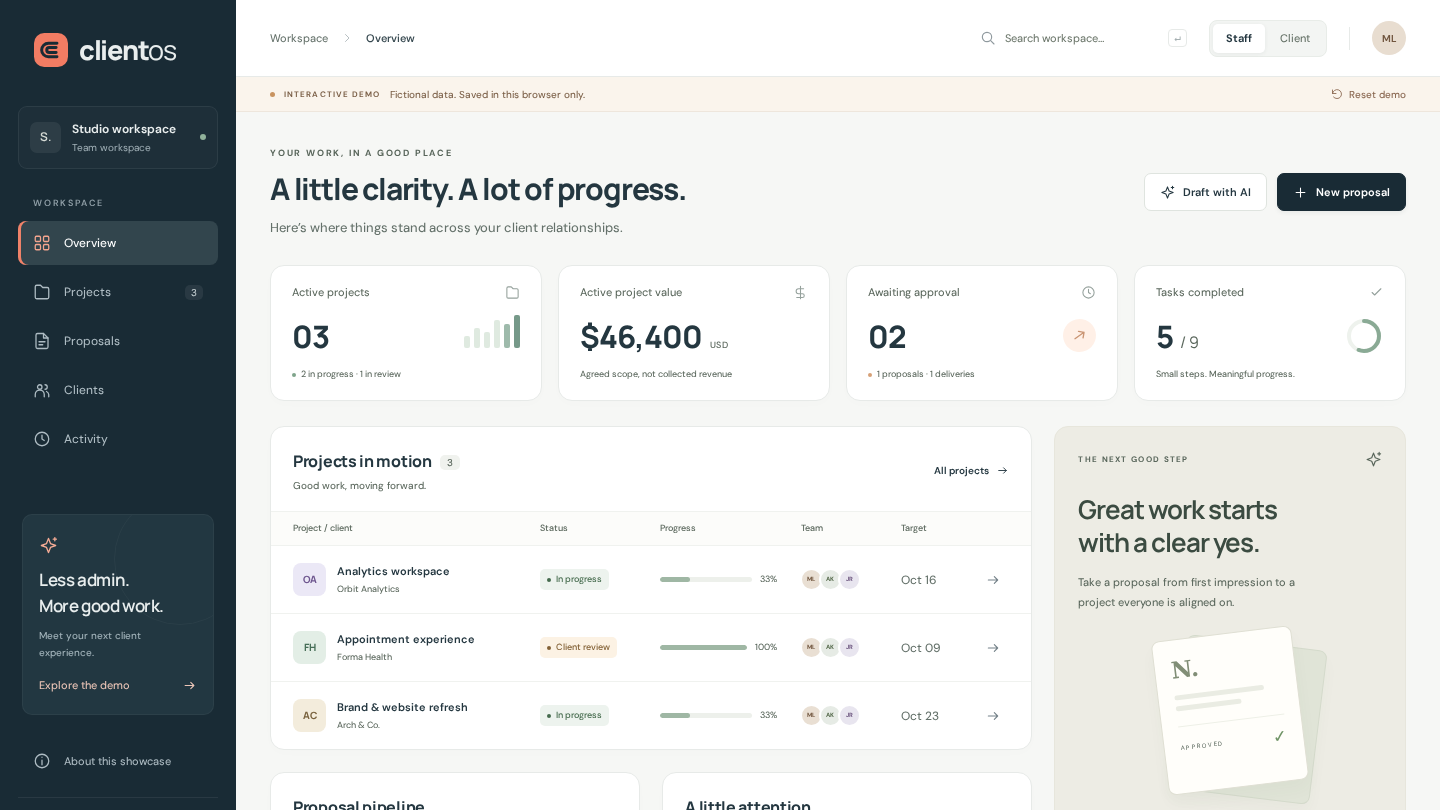
A service business often moves between proposals, task boards, feedback threads and handover documents. ClientOS explores how those steps can fit into one understandable experience. It is a self-directed frontend showcase for prospective customers, not software commissioned by Northstar Studio or any of the other fictional companies shown. The cover is an actual screenshot of the demo using its sample data.
Try the Complete Journey
Launch ClientOS demo →
Choose Explore the demo in the sidebar; on mobile, open the navigation menu first. Review the Northstar proposal from the Client perspective and approve it. A project with three tasks is created automatically. Switch to Staff, mark the tasks Done and submit the delivery for review. Back in Client view, inspect the sample handover, request a revision or confirm sign-off. No account or real customer information is needed.
Connected State, Not Disconnected Screens
Overview totals, proposal lists, project filters, search and activity read the same underlying demo state. Staff can create and edit draft proposals, then share them for approval. A shared proposal cannot be edited, and a project is created only after client acceptance. Submitting delivery requires every task to be complete. A revision adds feedback, increments the delivery version and reopens the handover task. Sign-off completes the project and locks its task board. These are working browser interactions, not screenshots disguised as a product.
Staff and Client Perspectives
The Staff workspace contains the client directory, proposal pipeline, delivery boards and activity. The Client perspective displays the selected fictional client's proposals, projects and conversations. These views demonstrate interaction design and record filtering only: the perspective switch is not authentication or tenant isolation, and every browser receives the same sample records. A production portal would need server-enforced authorization and an agreed data-access model.
An Explicitly Simulated AI Feature
Draft with AI demonstrates where assisted writing could fit into the workflow. In this demo it uses a deterministic template, clearly labeled SIMULATED AI, rather than calling a model. A brief becomes an editable starting point that can be passed into a proposal; project-update drafts can be copied for review. Nothing is emailed or automatically approved. Real model integration would require provider selection, privacy controls and evaluation against representative inputs.
Implementation and Validation
ClientOS uses JavaScript modules, semantic HTML and responsive CSS without a runtime framework or third-party application requests. Its state-transition model is tested separately from the interface, and font files are served locally with their licenses. Validation covered 14 model tests and 49 Chromium workflow, security-header and responsive-layout checks. An automated accessibility smoke test found no violations for the selected WCAG A/AA tags across 15 UI states; this is not a full accessibility certification or proof of production readiness.
Data Handling and Production Boundaries
Changes stay in this browser's local storage and survive reloads. Reset demo restores the fictional sample; stored records also expire on a later page load after 24 hours without a saved change. If storage is blocked, the app works for the current session. Do not enter sensitive information. There is no backend, login, email delivery, payment, legal signature or real handover file. Displayed project values are fictional agreed scope, not collected revenue. A production implementation would add server-side persistence, authentication, permissions, audit controls and business-specific integrations.