The Learning Workflow
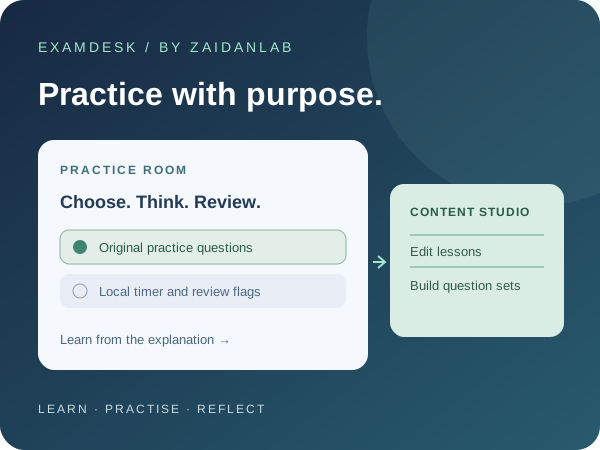
ExamDesk explores both sides of an online practice experience: preparing a question set and taking it. The Practice Room provides learning notes, single- and multiple-answer questions, a countdown, review flags and explanations. Content Studio lets the same visitor edit lessons, questions, answer keys, publication status, duration and a practice target. The cover is a workflow diagram, not a customer deployment or official exam screen.
Try ExamDesk
Open ExamDesk →
Choose Commerce development or API integration, read the notes and begin a practice session. Answers save after each selection. Flag questions, review unanswered items and submit to see locally calculated results. Switch to Content Studio to edit the dummy lessons or add your own original question. Publishing a question adds it to future attempts; an ongoing attempt keeps its own snapshot.
Original Sample Data
Two tracks contain six original general engineering questions each. They cover subjects such as maintainable extensions, caching, secrets, API contracts and retries. They are not official Adobe Commerce or MuleSoft questions, exam dumps or certification blueprints. The sample 12-minute duration and 70% practice target are illustrative settings, not vendor exam requirements. There is no affiliation with Adobe, Salesforce, MuleSoft or a proctoring provider.
Browser Storage, Not a Backend
Per the showcase scope, all data handling runs in browser JavaScript with localStorage. Reload normally preserves your question edits, answers and attempt history in the same browser profile and site origin. Other browsers and devices start with their own samples; there is no account or cloud sync. Reset my showcase restores this application's sample data without clearing unrelated localStorage keys. Clearing site data, private browsing expiry or browser eviction can remove your work. Use only fictional, non-sensitive material.
Scoring and Important Limits
Multiple-answer questions require an exact match with the local answer key. There is no partial credit or negative marking; displayed whole percentages round down and the target uses the exact fraction. The timer depends on the device clock and elapsed time is reconciled when the page resumes or another action runs. Answer keys, scores and saved timestamps can be inspected or edited locally. Content Studio is a UI perspective, not an authenticated admin role. There is no secure exam delivery, proctor, webcam, ID check, lockdown browser or official certificate.
What Was Tested
Automated tests cover persistence, authoring validation, draft publication, attempt snapshots, exact-match grading, local expiry, corrupt data recovery and storage errors. Headless Chromium at phone and desktop widths exercised the edit-to-practice workflow, reload/resume, flags, results, deletion and reset without fetch/XHR requests or page errors. These checks validate the sample interactions, not certification readiness, security for high-stakes exams or every device and assistive technology.
 Chat via WhatsApp